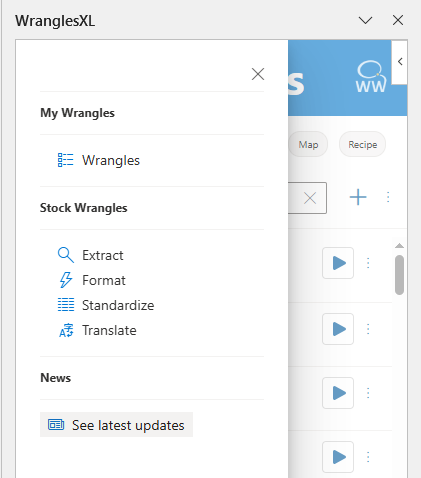
We've released a major update to our user interface which will allow users to more easily navigate the add-in. It will take some time to update the examples on this site, but this page will be here to show you how to find your way.
¶ Major Changes
- My Wrangles - Live on their own page. This page is the home page that opens when opening the add-in.
- Searching - Searching now works across all wrangles unless the navigation has been filtered.
- Filtering/Sorting - Wrangles can be filtered by organization and role, and they can also be sorted in various ways.
- New Wrangles - New wrangles are now created from the same button where users then select the type of wrangle to create.
- Latest Updates Page - Added to show users what has recently been added.
¶ My Wrangles
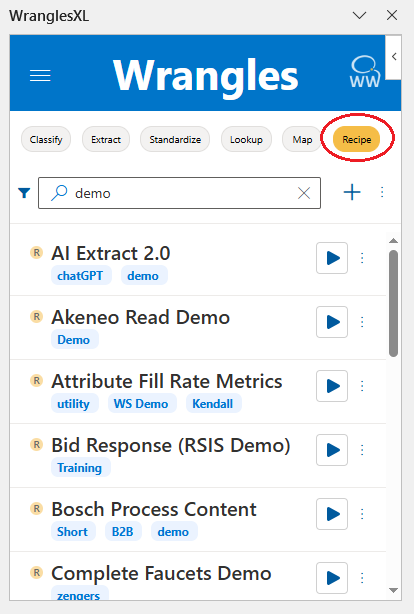
With the new update, all of My Wrangles now live on the same page, but can be filtered by clicking the name of each wrangle type.
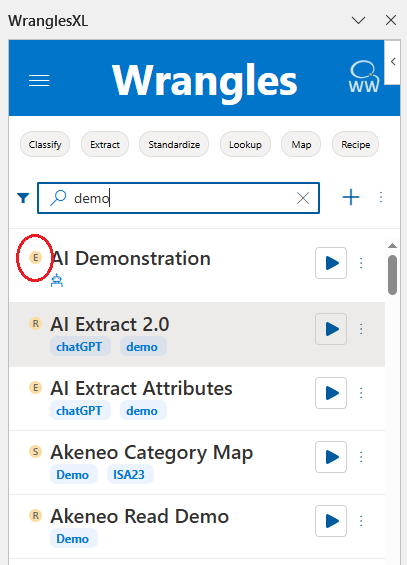
Each wrangle now has a letter circle in yellow, which is highlighted in the screenshot above. These indicate the type of wrangle, C for classify, E for extract etc.
¶ Searching
Searching now works across all wrangles, no matter their type. See the screenshot above for an example of searching without filtering.
¶ Filtering/Sorting
Filtering by wrangle type is now possible by clicking on the name of each wrangle type, shown below:
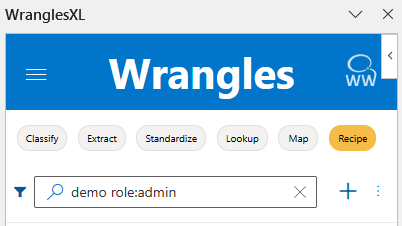
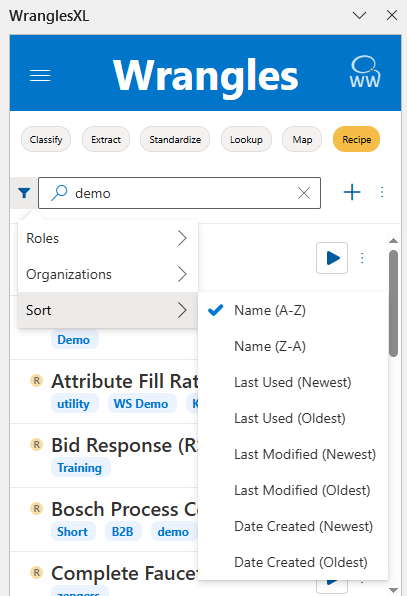
Wrangles can also be filtered by Role, and Organizations/Teams by clicking on the funnel like shown below:
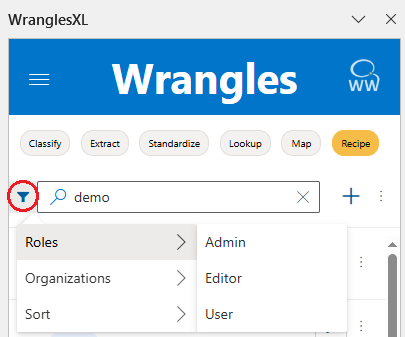
Any Organization/Team that a user belongs to will be listed in the Organizations menu.
Note that when filtered, the filter parameter will be shown in the search bar. Filters can be applied by manually being entered in the search bar as well.
Wrangles can also be sorted by name, last used, last modified, and date created.
¶ New Wrangles
New wrangles are now created by clicking the + icon in the same way as before, but now users must select the type of wrangle they wish to create.
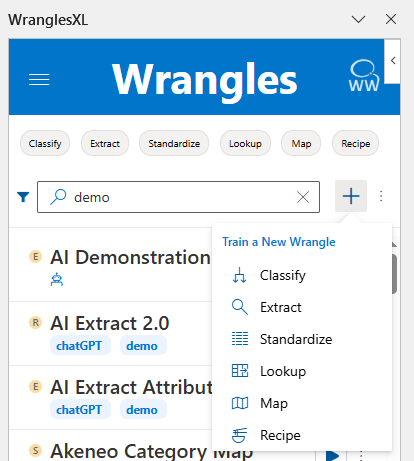
After selecting the wrangle type, creating a new wrangle is the exact same as before.
¶ Latest Updates
A new section has been added to the menu page where users can go to see the latest updates to the platform.