¶ Organizations
Organizations allow users to share secrets and permissions across the entirety of the organization. This make sharing much easier, instead of adding secrets or permissions for every user, the organization can be used instead. Organization secrets are set in the same way as user secrets, but permissions are slightly different from adding users. Organizations which users are a part of will auto-complete, otherwise they can be added with "organization@org" where spaces are replaced with a period.
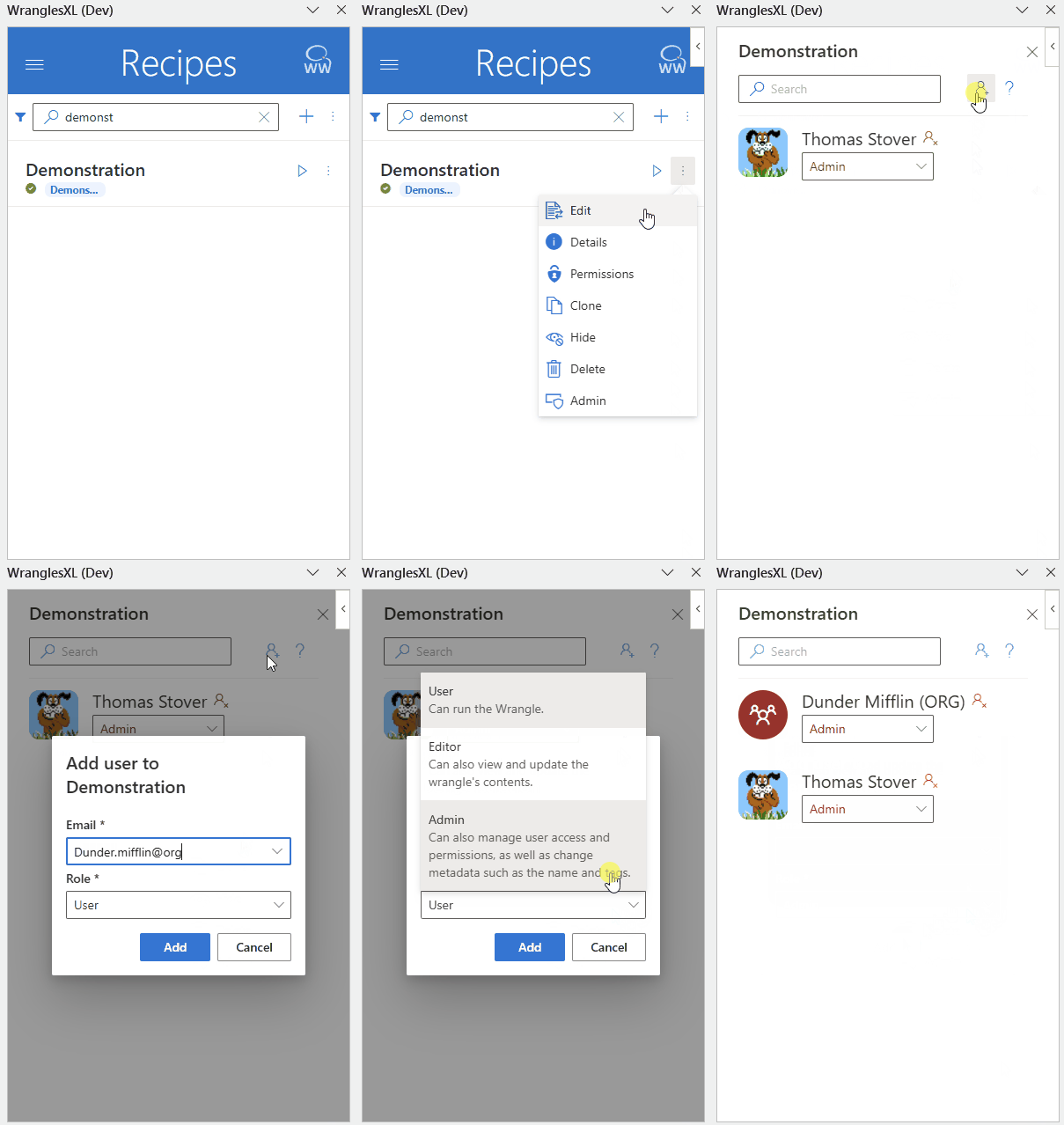
Organizations are set up by WrangleWorks, and are typically set to company name. Users are added to organizations by WrangleWorks and an Admin team is also set. Users within the Admin team have the ability to manage the organization.
¶ Members
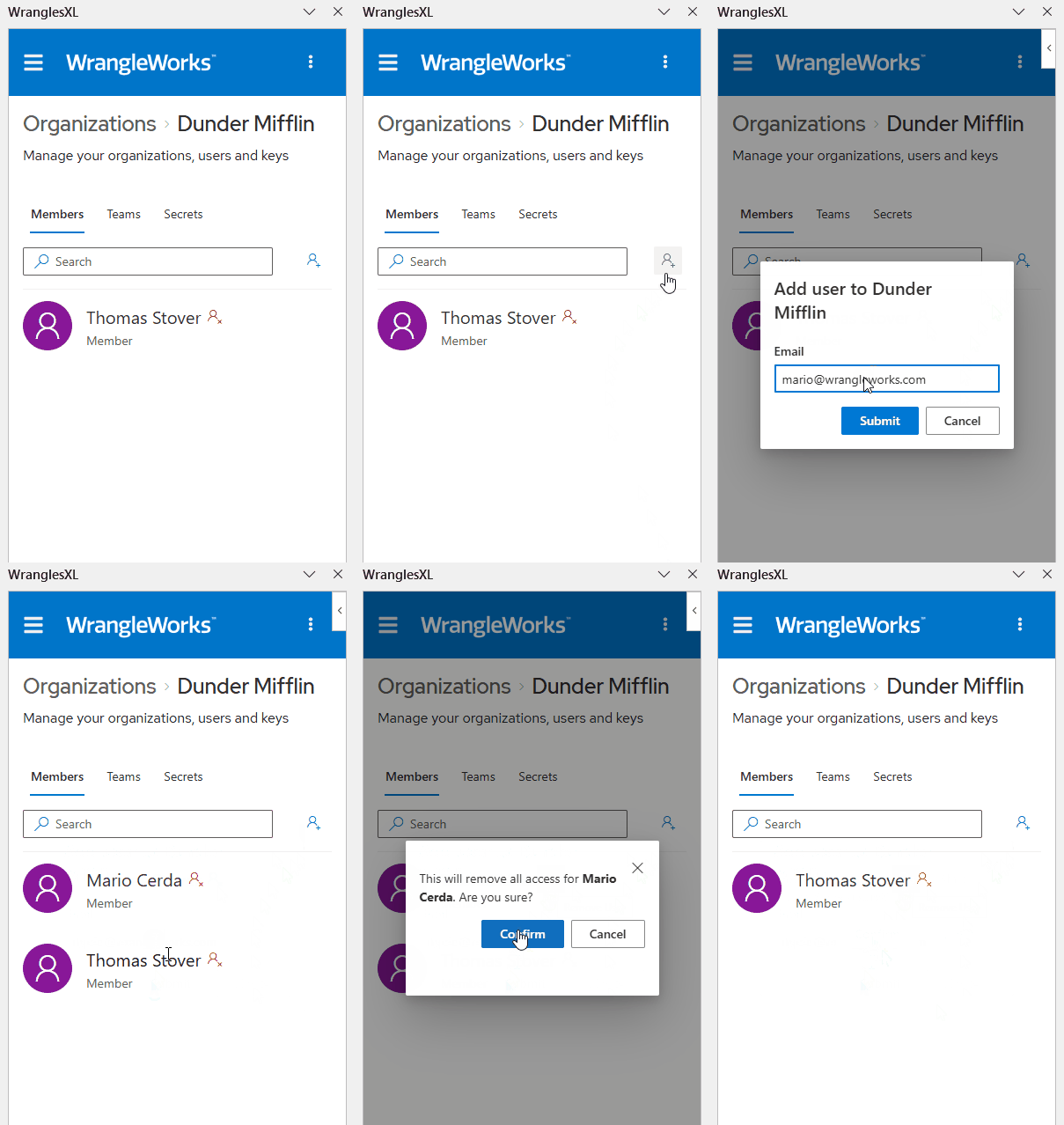
Organization admins can add or remove group members under the Members tab. See below to learn how to add and remove members.
¶ Teams
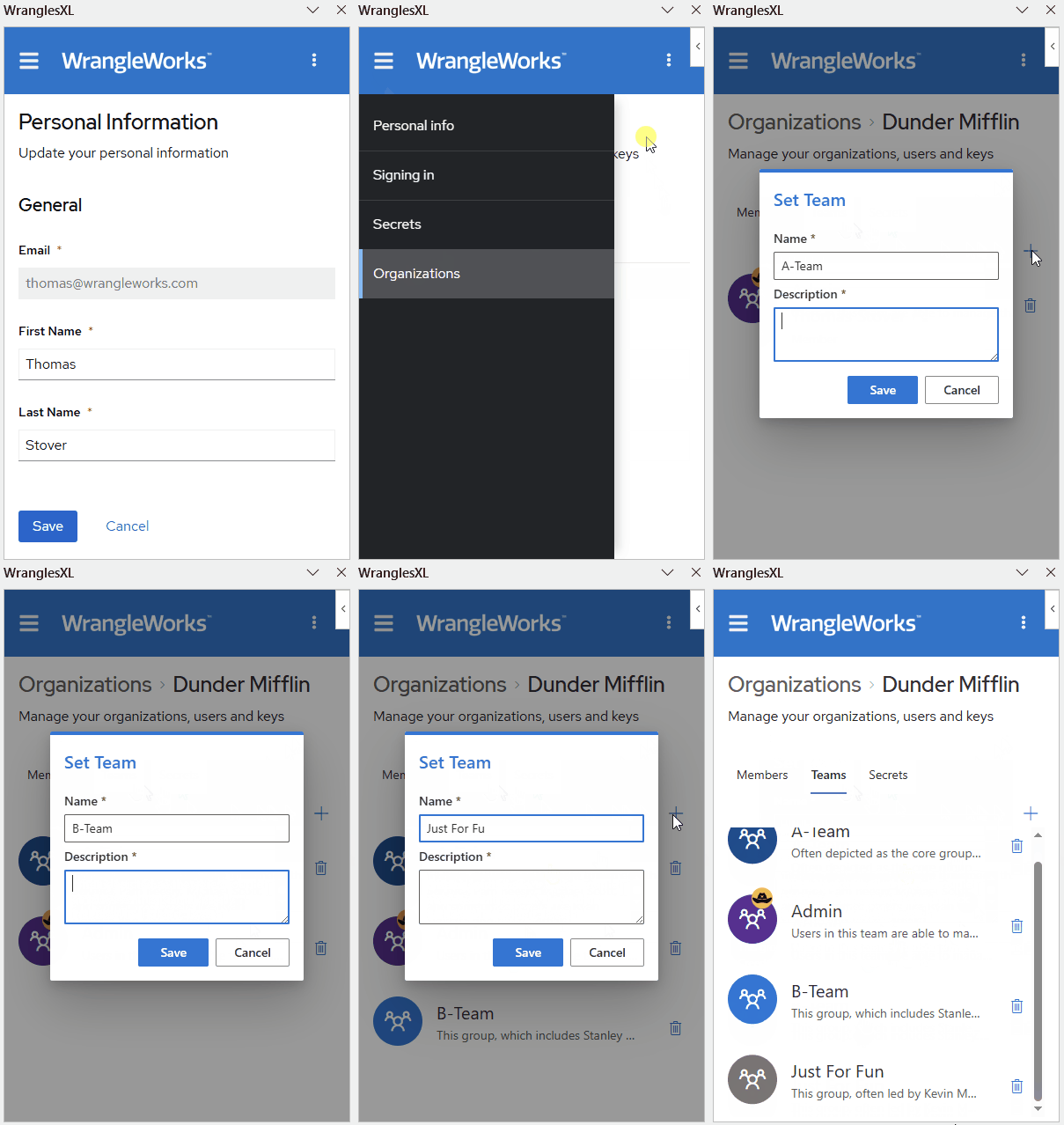
Teams are a subgroup of organizations and carry most of the same functionality. Like organizations, permissions and secrets can be set to teams. Teams are very useful for dividing up organizations by department or project. By using teams, organizations can set up team based api keys to monitor use by department, or simply keep wrangles organized by team.
¶ Members
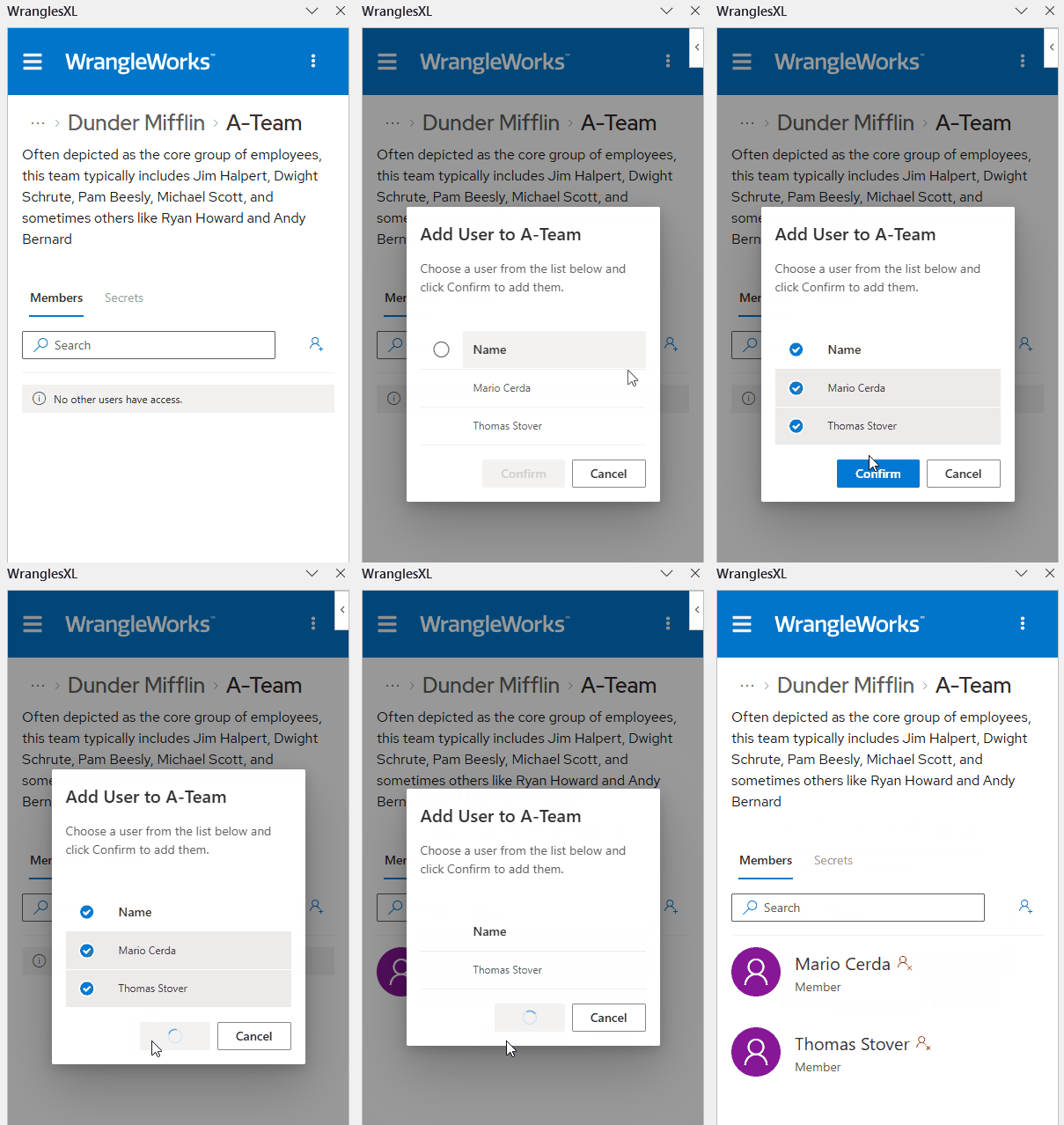
The members tab within teams allows organization admins to add or remove team members.
¶ Secrets
Like organization secrets explained below, the team secrets tab allows any team member to add or remove secrets.
¶ Secrets
The secrets tab is where members can add or delete organization secrets. These can then be used in wrangles the organization has permission. If a user belongs to a group and that user and the group both have access to a wrangle that uses secrets, it is best practice to ensure that those secrets names do not overlap or simply to remove the individual user's permission from that wrangle. This will ensure that the intended secret will be used. See below to learn how to add secrets.
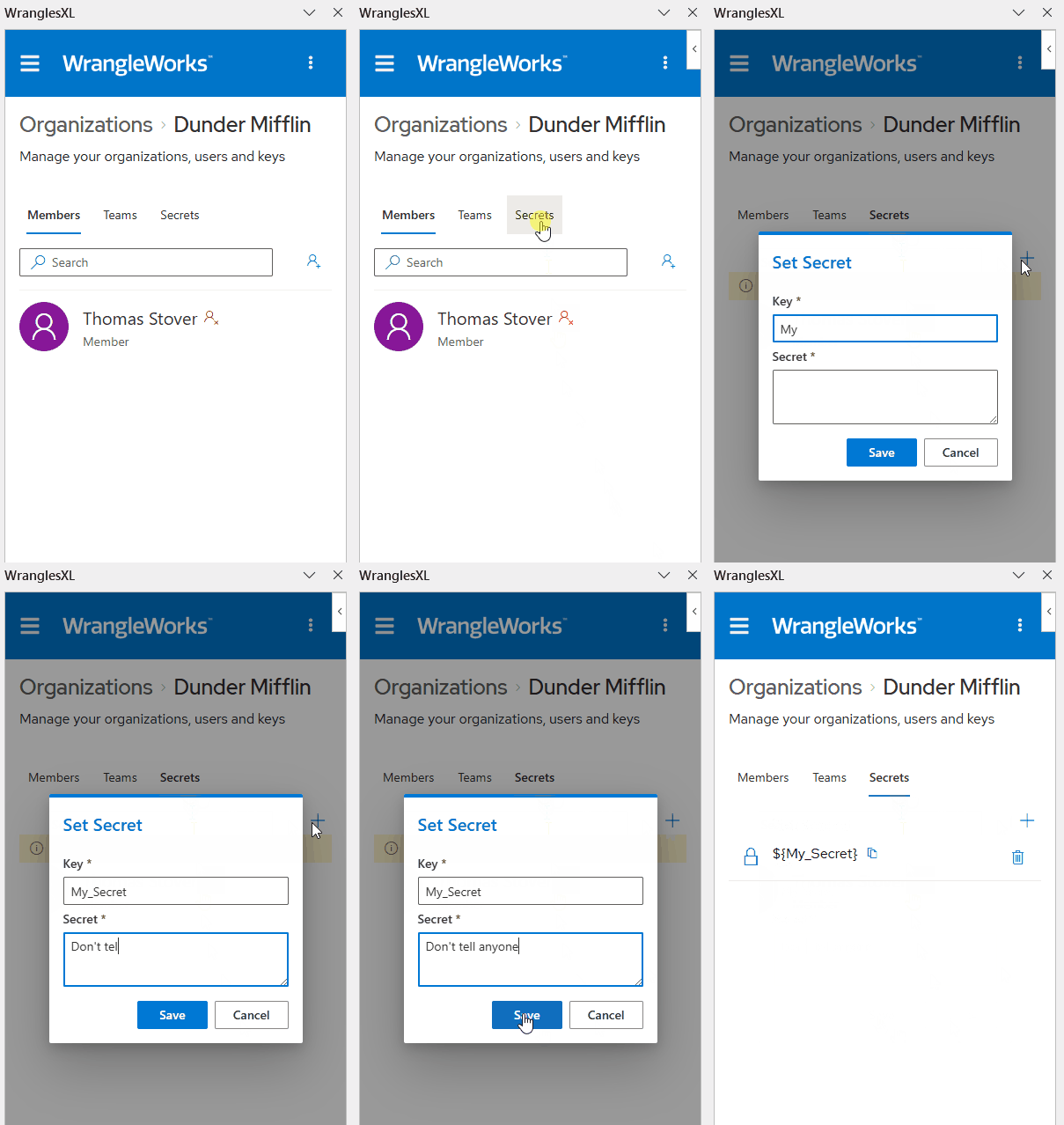
See here to learn more about how to use secrets in recipes.
¶ Files
The files tab allows users to upload and download files from their organization's S3 bucket.
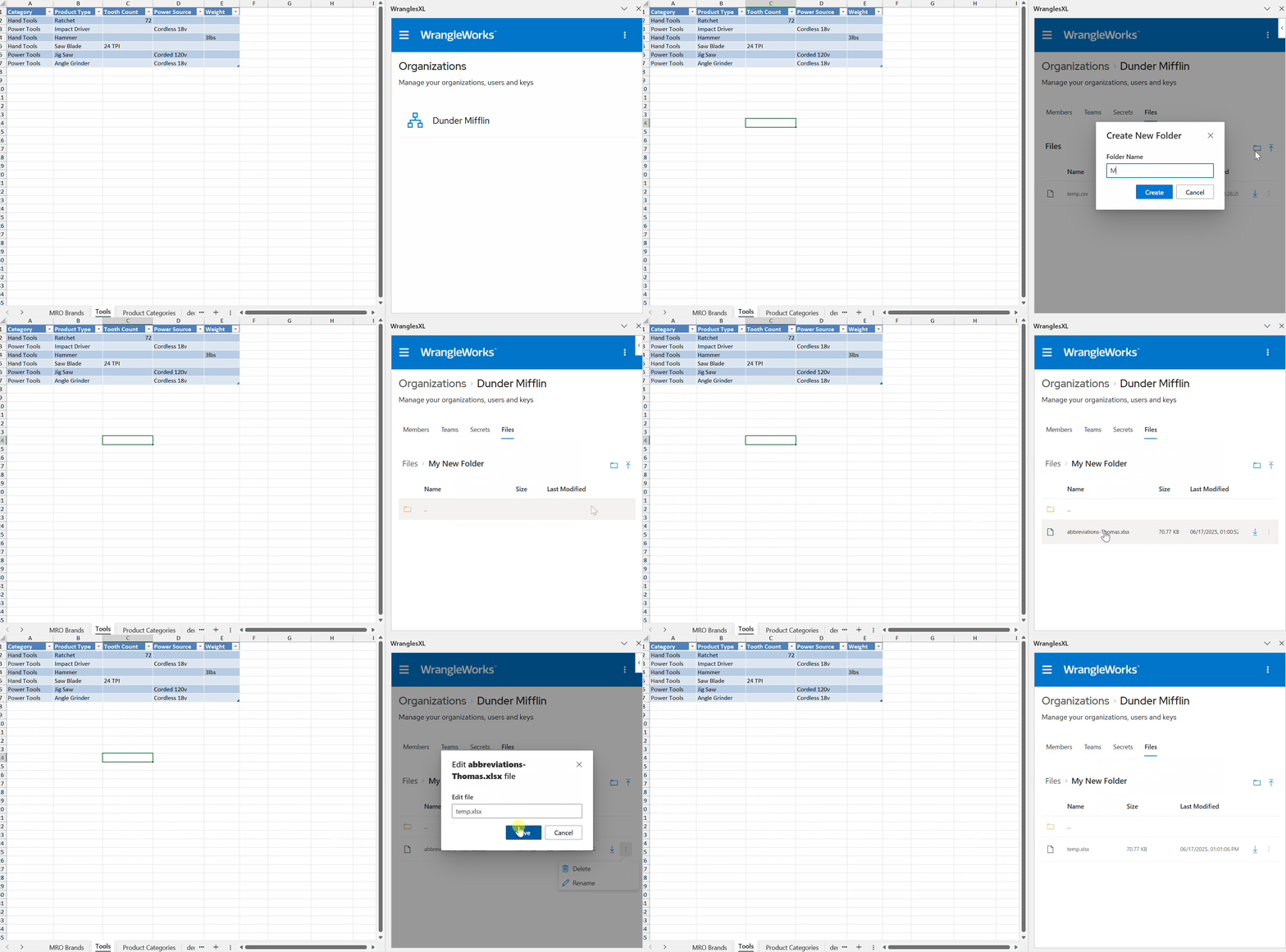
Files can also be downloaded or uploaded by using the File Connector.